Saniya Gazala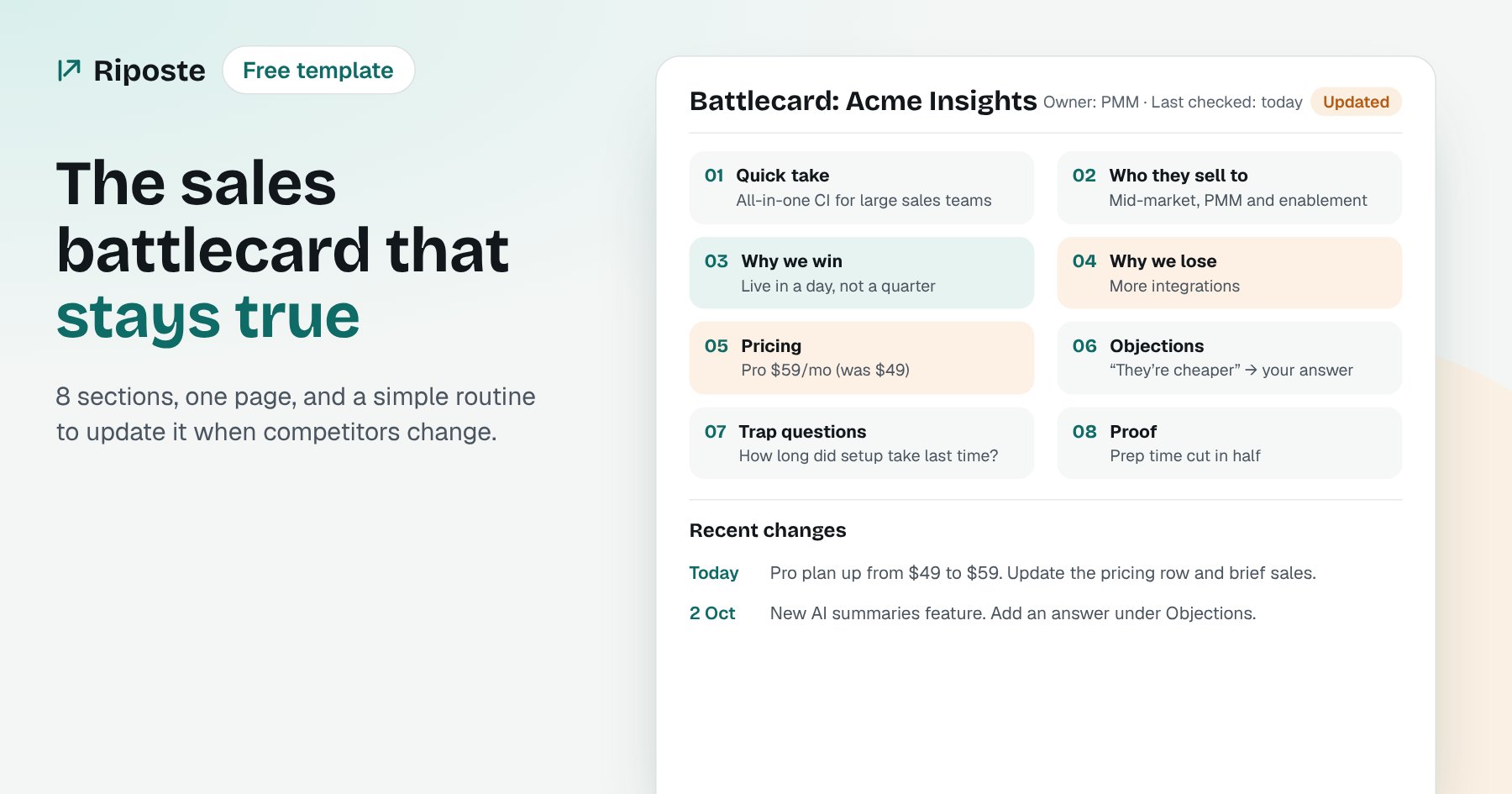
In short
A sales battlecard is a one-page guide that helps reps win deals against one competitor. A good one has eight parts: who they are, who they sell to, why we win, why we lose, pricing, objections with answers, trap-setting questions and proof. Most battlecards fail because they go out of date, so give each one an owner, a 'last checked' date, and update it within a week of any competitor change.
Every sales team I've worked with had battlecards. Very few had battlecards that were right.
The card says the competitor costs $49. They moved to $59 two months ago. The rep quotes the old number on a call, the buyer corrects them, and now the rep looks like they don't know the market. After that, they stop opening the cards.
So this post is about two things: what to put on a battlecard, and how to keep it true.
What is a sales battlecard?
A sales battlecard is a short guide that helps a rep win a deal against one specific competitor. It answers the questions a rep has five minutes before a call: Who is this? Why do buyers pick them? Why do they pick us? What will the buyer say, and what do I say back?
It is not a full competitor analysis. That is a long document for product marketing and leadership. A battlecard is the one page that a rep actually reads.
The two-minute test
If a rep can't read the card in two minutes before a call, it's too long. Cut it until they can.
The 8 parts of a good battlecard
| Section | What to write | Example |
|---|---|---|
| 1. Quick take | One line: who they are and how they position themselves | "All-in-one CI platform for large sales teams" |
| 2. Who they sell to | Company size, industry and buyer role they target | "Mid-market and enterprise, sold to PMM and sales enablement" |
| 3. Why we win | Three reasons buyers pick you over them, in the buyer's words | "Up and running in a day, not a quarter" |
| 4. Why we lose | The honest reasons you lose to them | "They have more integrations" |
| 5. Pricing | Their plans and prices, with the date you checked | "Pro $59/mo (checked 12 Oct)" |
| 6. Objections and answers | What buyers say, and a short answer for each | "They're cheaper" → your answer |
| 7. Trap-setting questions | Questions that steer the buyer toward your strengths | "How long did setup take with your last tool?" |
| 8. Proof | A customer quote, case study or number that backs you up | "Acme switched and cut prep time by half" |
Add two things at the top of every card: the owner and a last checked date. Those two lines do more for trust than anything else on the card.
Free sales battlecard template
Copy this into Notion, Google Docs or Confluence. One card per competitor.
BATTLECARD: [Competitor name]
Owner: [name]          Last checked: [date]

1. QUICK TAKE
   [One line on who they are and how they position themselves]

2. WHO THEY SELL TO
   [Company size, industry, buyer role]

3. WHY WE WIN
   - [Reason 1, in the buyer's words]
   - [Reason 2]
   - [Reason 3]

4. WHY WE LOSE
   - [Honest reason 1]
   - [Honest reason 2]

5. PRICING (checked [date])
   [Plan]: [price]   [Plan]: [price]
   Link: [their pricing page]

6. OBJECTIONS AND ANSWERS
   "[What the buyer says]"  →  [What you say back]
   "[What the buyer says]"  →  [What you say back]

7. TRAP-SETTING QUESTIONS
   - [Question that points to your strength]
   - [Question that points to their weak spot]

8. PROOF
   [Customer quote, case study or number]

RECENT CHANGES
[Date]: [What changed and what it means for us]Why "Recent changes" is at the bottom
It's the section reps check first once they know the card. A short dated list tells them the card is alive, and tells them what's new since their last deal.
Why most battlecards go out of date
Writing the first version is the easy part. Competitors don't stand still: they change prices, launch features, rewrite their homepage and publish new comparison pages. Each change can make one line on your card wrong.
Most teams find out late, usually from a buyer on a call. By then the damage is done.
There are three common reasons:
- No owner. When everyone owns the card, no one updates it.
- No trigger. The card only gets updated during a quarterly review, not when the competitor actually changes.
- No time. Checking five competitors' pricing pages, changelogs and blogs every week takes hours that no one has.
How to keep battlecards up to date
A simple routine that works:
- Give each card one owner and put their name at the top.
- Watch the pages that change cards: pricing, changelog or release notes, blog, and news. These four cover most of what makes a card wrong.
- Update within a week of a change, and add a dated line under "Recent changes".
- Tell sales what changed in the channel they already read, with one line on what to say now.
- Review every card fully once a quarter, and archive cards for competitors you no longer see in deals.
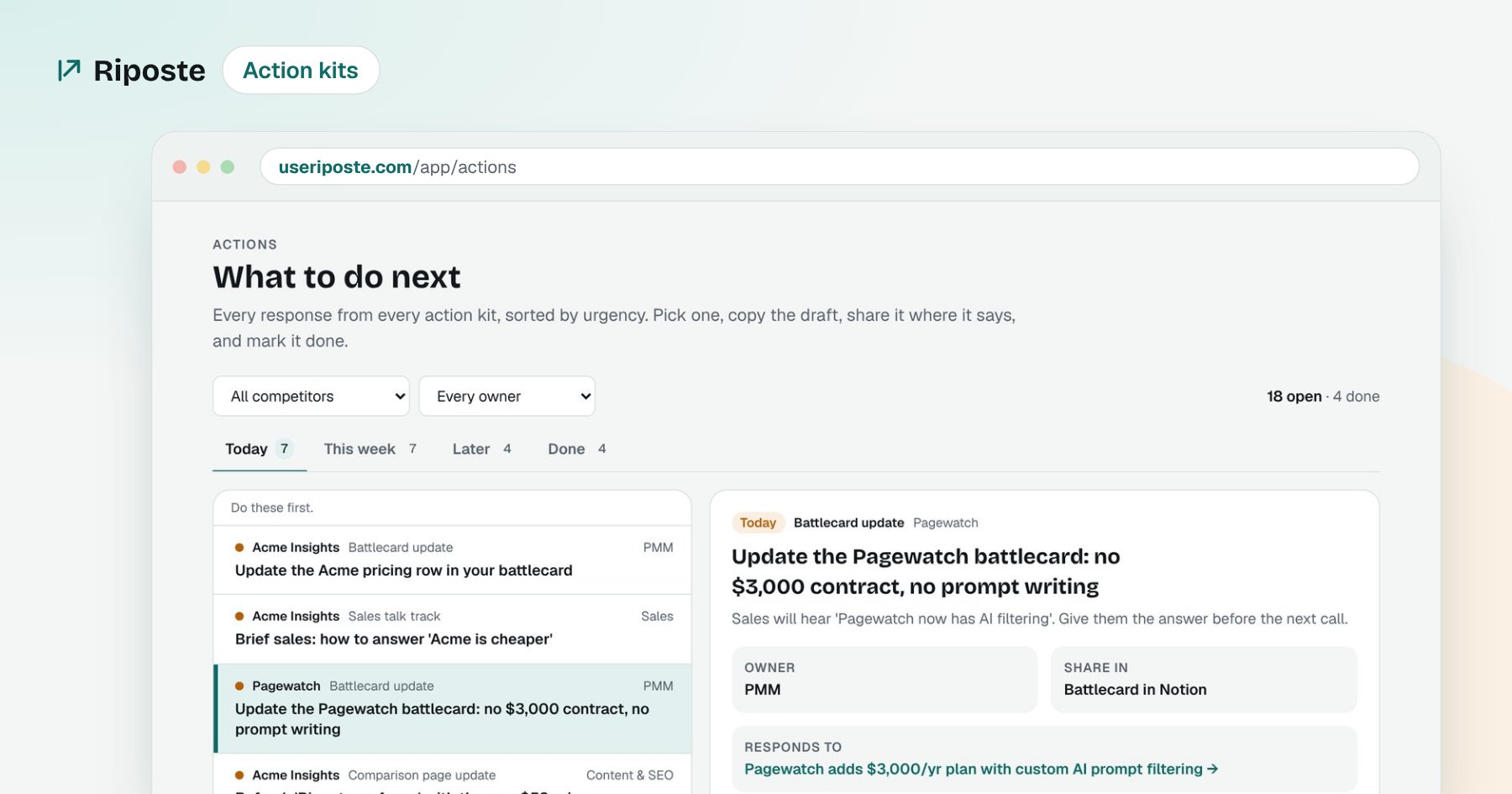
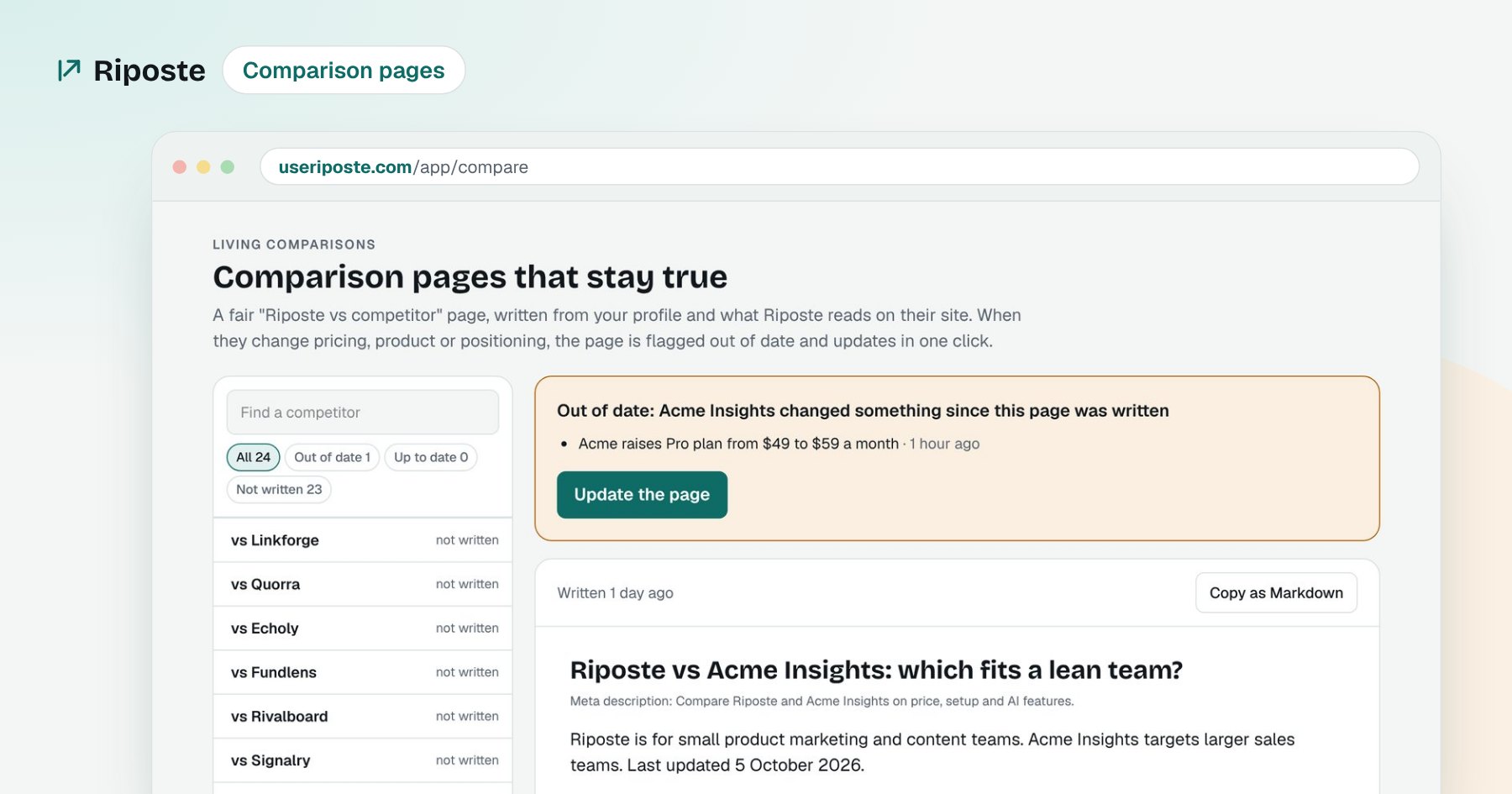
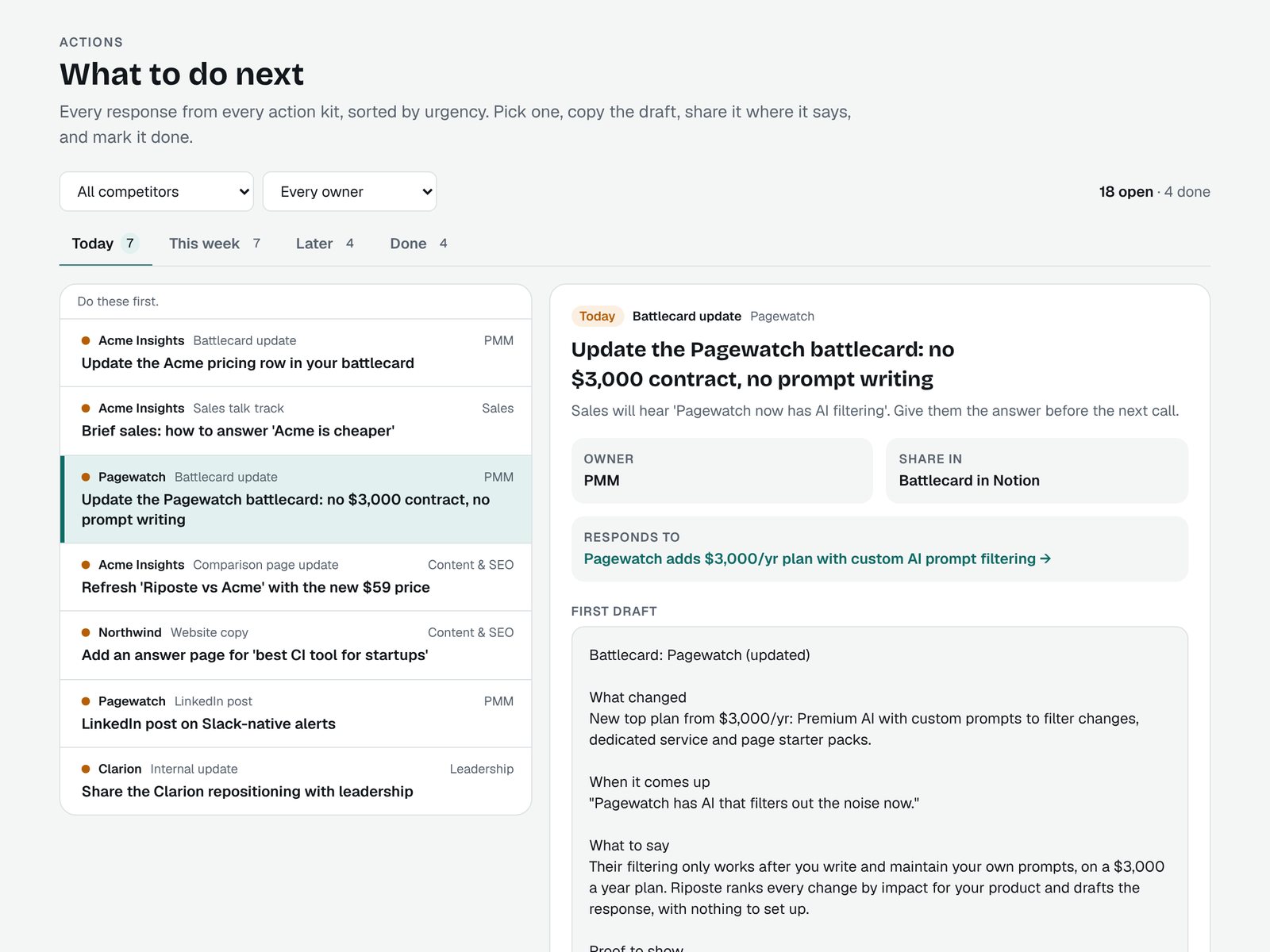
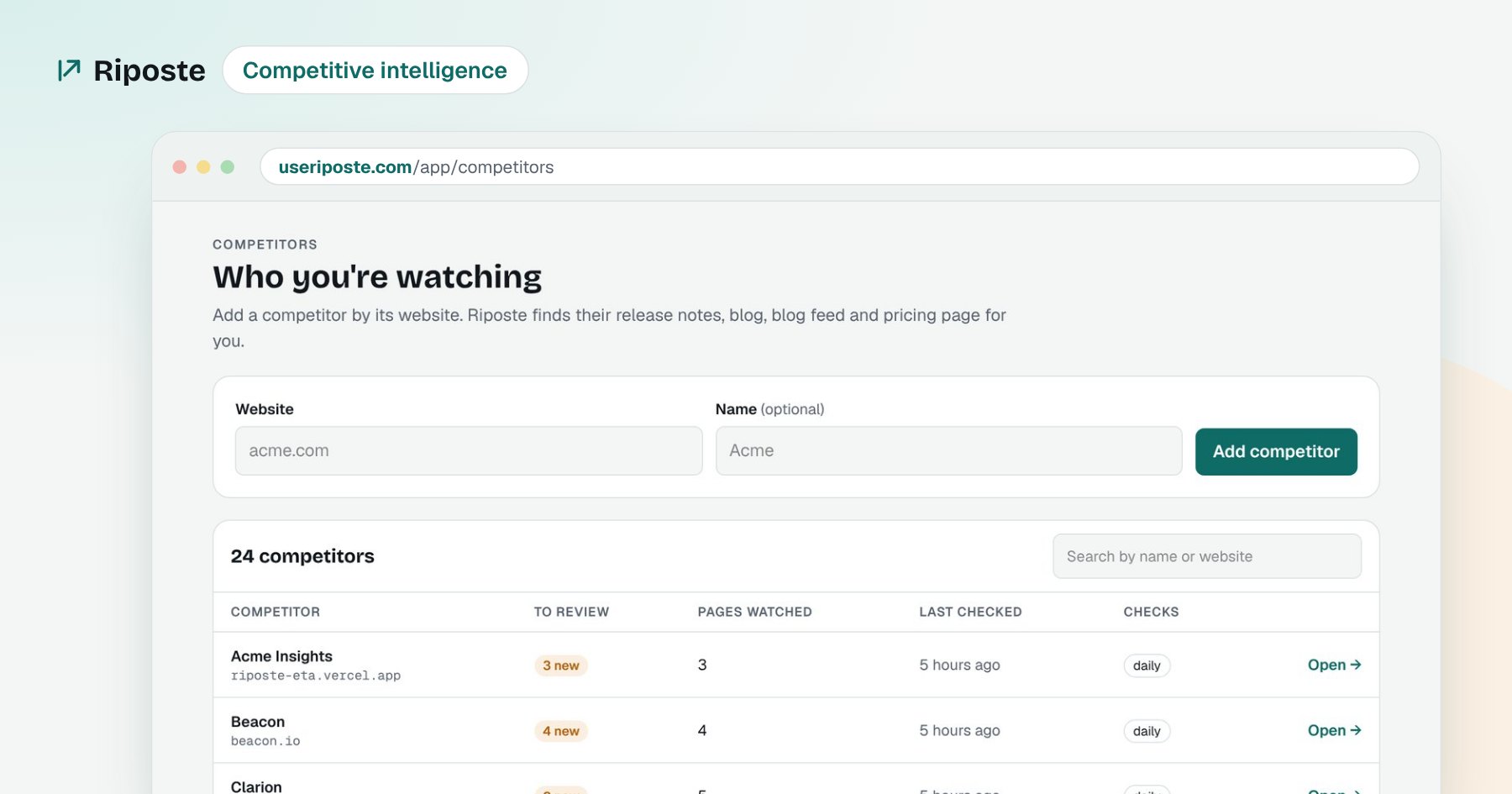
Step 2 is where most teams give up, because it's manual. That's the part I built Riposte to do. It checks your competitors' pricing, changelog, blog and news every morning, explains what changed and why it matters for your product, and turns it into an action kit: the exact battlecard update to make, who owns it, how urgent it is, and a first draft.
A price change, start to finish
A competitor raises its Pro plan from $49 to $59. The next morning Riposte flags it as high impact. The action kit says: Today, PMM: update the pricing row on the battlecard. This week, Sales: a short talk track for "they're cheaper". You copy the drafts, edit them, and the card is right before the next call.
Common battlecard mistakes
- Trashing the competitor. Buyers trust reps who are fair. Say what they're good at, then say why you're a better fit.
- Feature lists instead of answers. Reps don't need 40 features. They need the three that win deals and the words to say them.
- Hiding why you lose. If the card only says good things, reps get surprised on calls. Be honest about your weak spots and give them a way to handle each one.
- Prices with no date. A price without a "checked on" date can't be trusted. Always add the date.
- Cards no one can find. Put a link to the cards in the CRM, pinned in the sales channel, and in the deal review template.
Wrapping up
A battlecard is a promise to your sales team: "this is true today". Keep it to one page, put a name and a date on it, and update it whenever the competitor changes. The template above gets you the first part. Watching competitors every day is the part to automate.
The bottom line
A battlecard is only as good as its last update. Keep it to one page, give it one owner and a 'last checked' date, and update it within a week of every competitor change.
Frequently asked questions
What should a sales battlecard include?
A sales battlecard should include who the competitor is, who they sell to, why you win, why you lose, their pricing, common objections with answers, trap-setting questions, proof points and a 'last checked' date. Keep it to one page so a rep can read it in two minutes before a call.
Is there a free sales battlecard template?
Yes. This post has a free one-page sales battlecard template you can copy into Notion, Google Docs or Confluence. It has eight sections and a short prompt for what to write in each.
How often should a sales battlecard be updated?
Update a battlecard within a week of any competitor change to pricing, packaging, features or positioning, and review every card fully once a quarter. A card that hasn't been checked in 90 days should be treated as out of date.
Who should own sales battlecards?
Product marketing usually owns battlecards, and sales feeds them with what they hear on calls. One named owner per card works best, because shared ownership is how cards go stale.
What is the best software for creating sales battlecards?
It depends on team size. Large sales teams often use enterprise competitive intelligence platforms such as Crayon or Klue, while small teams can keep cards in Notion or Google Docs and use a lighter monitoring tool like Riposte to know when a card needs updating.
How much does battlecard software cost?
Enterprise competitive intelligence platforms usually sell annual contracts with custom pricing, so you need to talk to sales for a quote. Docs tools like Notion or Google Docs cost little or nothing, and Riposte is free during its beta.
Can AI create a sales battlecard?
AI can write a solid first draft of a battlecard from a competitor's website, pricing page and your product details. A person still needs to check the facts and add what only your team knows, like real win and loss reasons.
How do you keep battlecards updated automatically?
Use a tool that checks competitors' pricing pages, changelogs, blogs and news on a schedule and alerts you when something changes. Riposte does this every morning and drafts the exact battlecard update to make, with an owner and urgency.
How many battlecards does a sales team need?
Start with one battlecard for each of your top three to five competitors, the ones that show up most in deals. Add more only when a new competitor appears in your pipeline often enough to matter.
How do you know if sales reps actually use battlecards?
Track page views or link clicks on each card, and ask reps in deal reviews which card they used and whether it helped. If a card isn't used, it is usually too long, out of date or hard to find.