Turn a change into a response with action kits
In short
Open a signal and click Build action kit. Riposte suggests two to four actions, each with an owner, an urgency, where to share it and a first draft. Every action collects on the Actions page until you mark it done.
Build a kit
- Open a signal in your Feed.
- Click Build action kit.
- Wait a few seconds while Riposte writes the drafts.
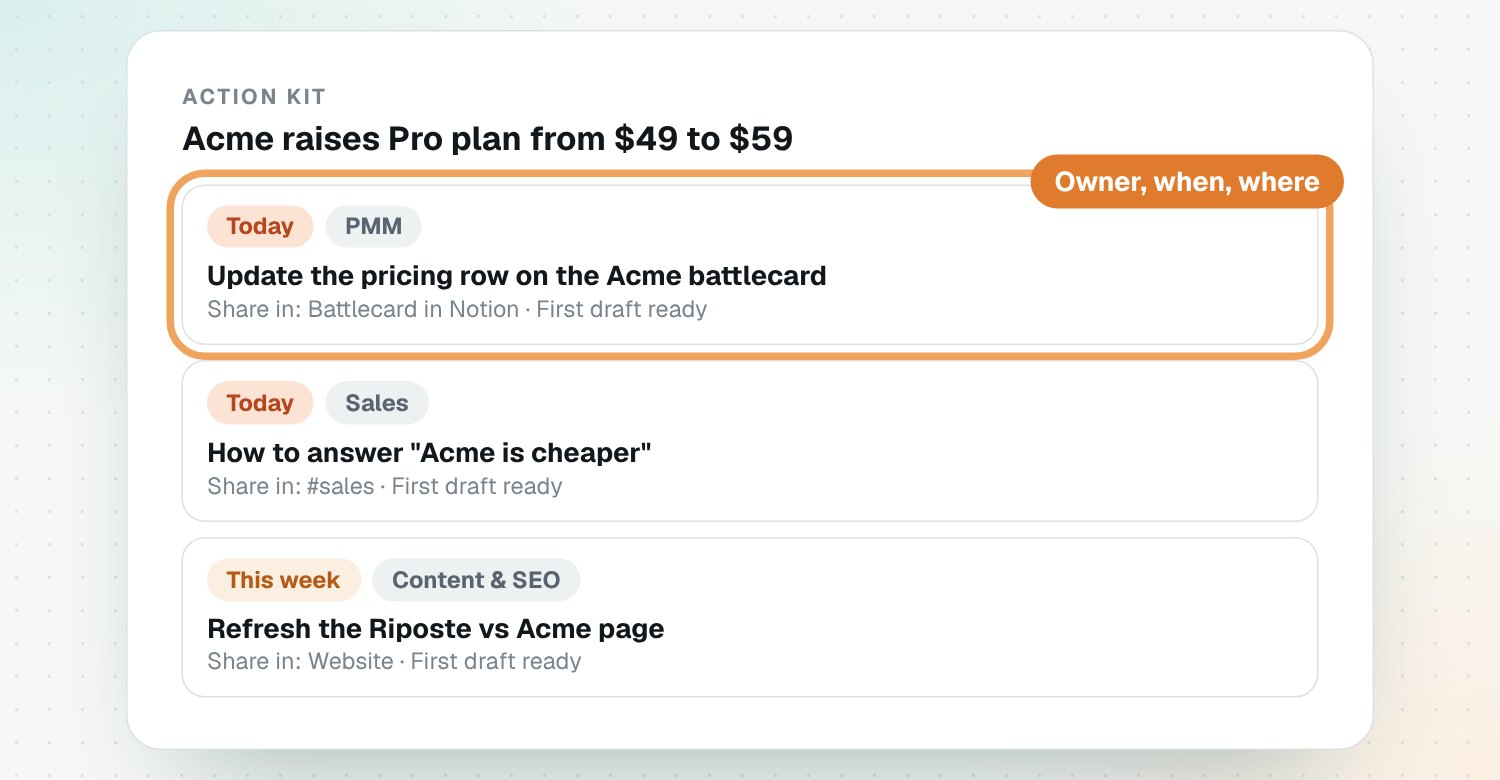
What each action has
| Part | Example |
|---|---|
| What to create | Battlecard update |
| Owner | PMM |
| Urgency | Today, This week or Later |
| Where to share it | Battlecard in Notion |
| First draft | Ready to copy |
Work through your actions
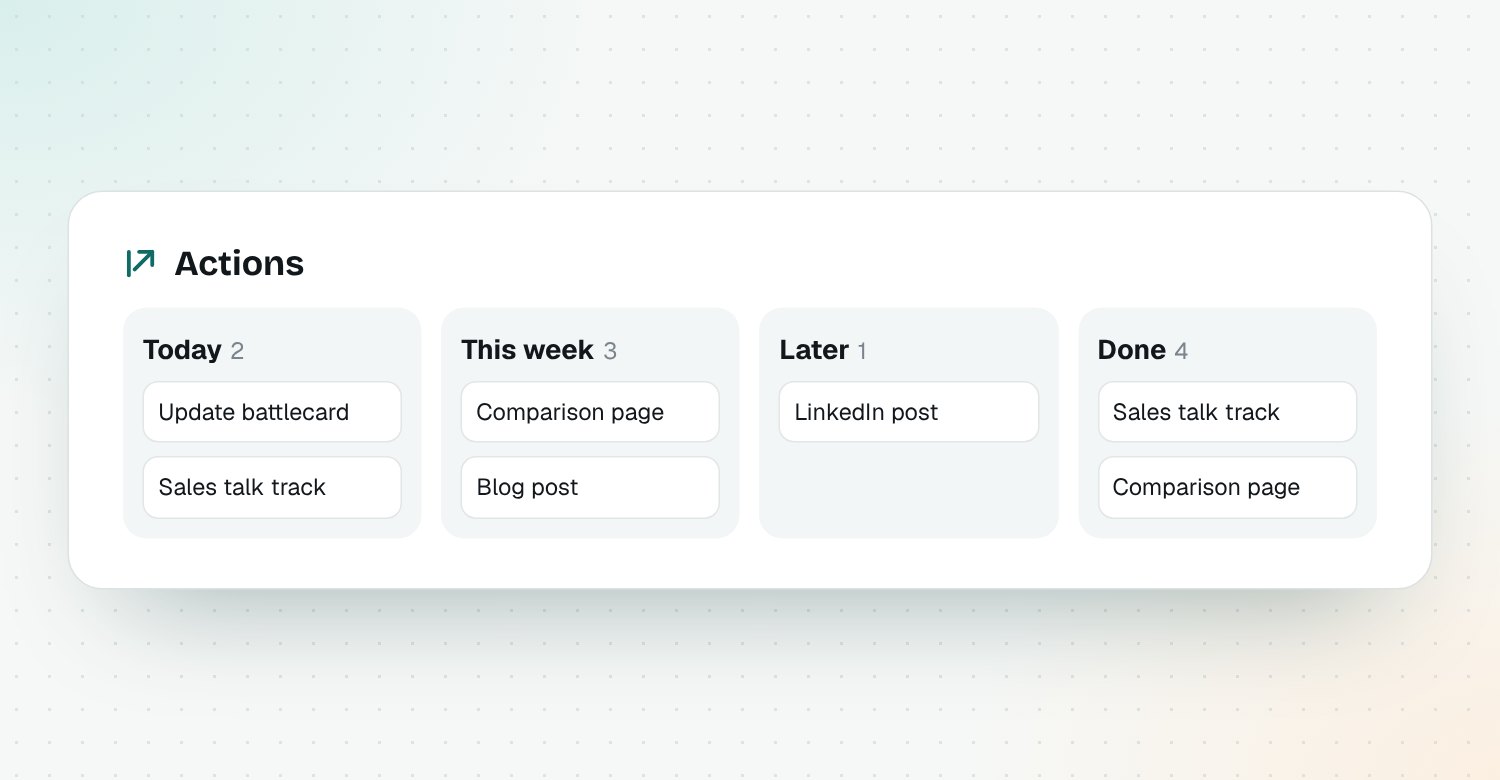
Open Actions to see every action from every kit, sorted into Today, This week, Later and Done. Copy the draft, share it, and mark it done.
Rebuild after an edit
Changed your product details? Use Rebuild open actions on the signal to get new drafts.
Questions
What's in an action kit?
Two to four actions, such as a battlecard update, a sales talk track or a comparison page update. Each has an owner, an urgency, where to share it and a first draft.
Are the drafts ready to send?
They're first drafts. Facts Riposte doesn't know are left as [placeholders], so check and edit before sharing.
Who can own an action?
PMM, Sales, Content and SEO, Product, Leadership or Customer success.
Do action kits show in Slack?
Yes. When a kit exists, the Slack alert lists who does what, how soon and where to share it.