See what competitors publish and write briefs
In short
Open Content intel to see each competitor's publishing pace, page types and topics, plus trends two or more competitors are writing about. Click Write a content brief on a trend to get a brief with keyword, angle, outline and FAQs.
Read the overview
Open Content intel. You'll see:
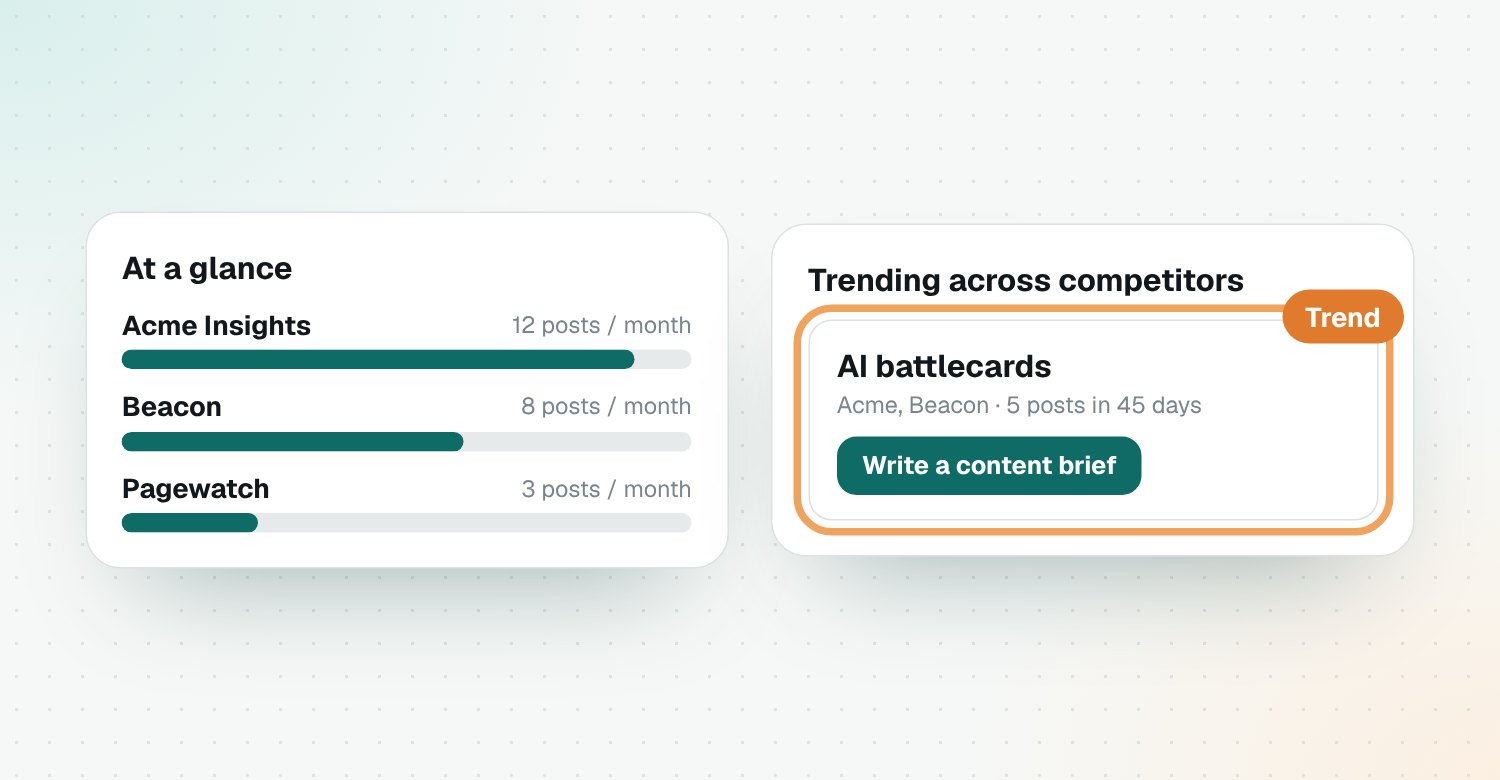
- At a glance: how often each competitor publishes and what kinds of pages
- Trending across competitors: topics two or more of them are writing about
- Recently published: their newest posts
- Content briefs: briefs you've created
Turn a trend into a brief
- Find a trend under Trending across competitors. No trends yet? Click Find trends.
- Click Write a content brief.
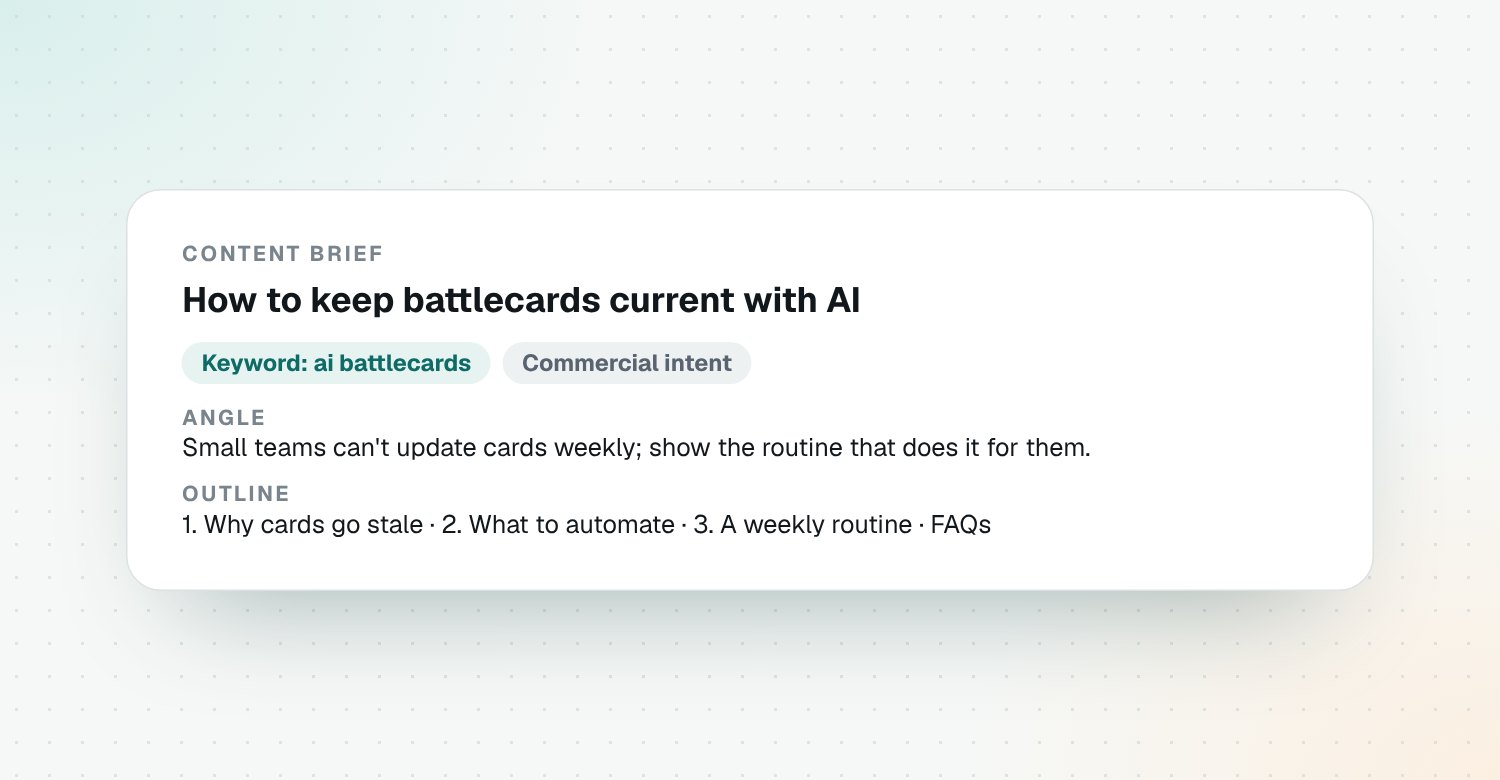
The brief gives you a target keyword, the angle to take, a quick answer, an outline and FAQs, ready to hand to a writer.
Briefs from AI answers too
In AI visibility, you can write a brief to win an AI answer where competitors are named and you aren't.
Questions
Where does the content data come from?
From each competitor's blog feed and sitemap, which Riposte reads every morning.
What counts as a trend?
A topic that two or more competitors published about in the last 45 days. Trends refresh every Monday, or when you click Find trends.
What's in a content brief?
A title, target and secondary keywords, search intent, the angle to take, a quick answer, an outline, FAQs, notes on competitors and a call to action.
Can I see one competitor's topics?
Yes. Open the competitor and go to its Content tab, then click Find their topics.