Keep comparison pages up to date
In short
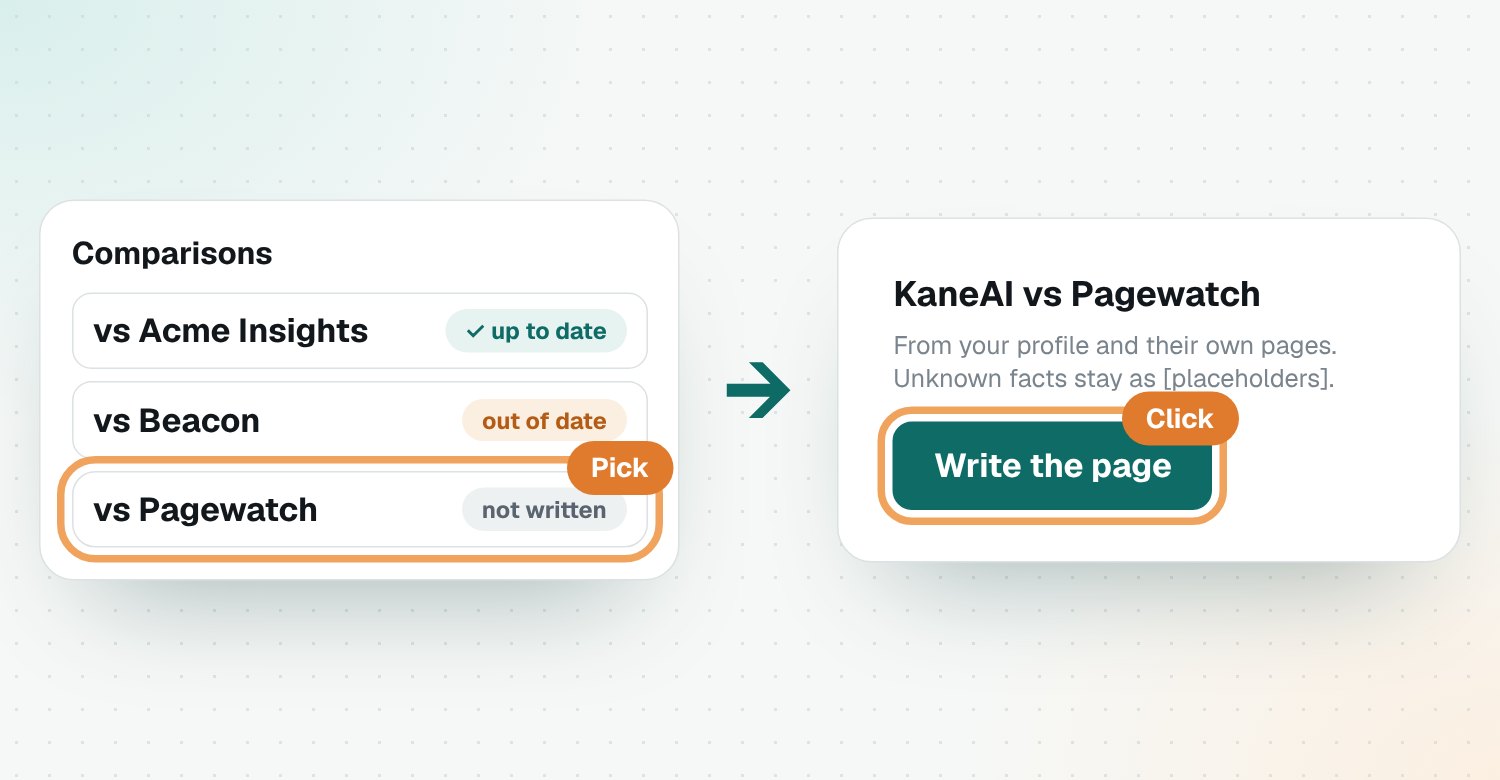
Open Comparisons, pick a competitor and click Write the page. Riposte writes a fair comparison from your profile and their own pages. When they change pricing, product or positioning, the page is marked out of date, and Update the page refreshes it.
Write a page
- Open Comparisons.
- Pick a competitor from the list.
- Click Write the page.
Each page has a criteria table with pricing first, who should choose which, a verdict and FAQs.
Keep it true
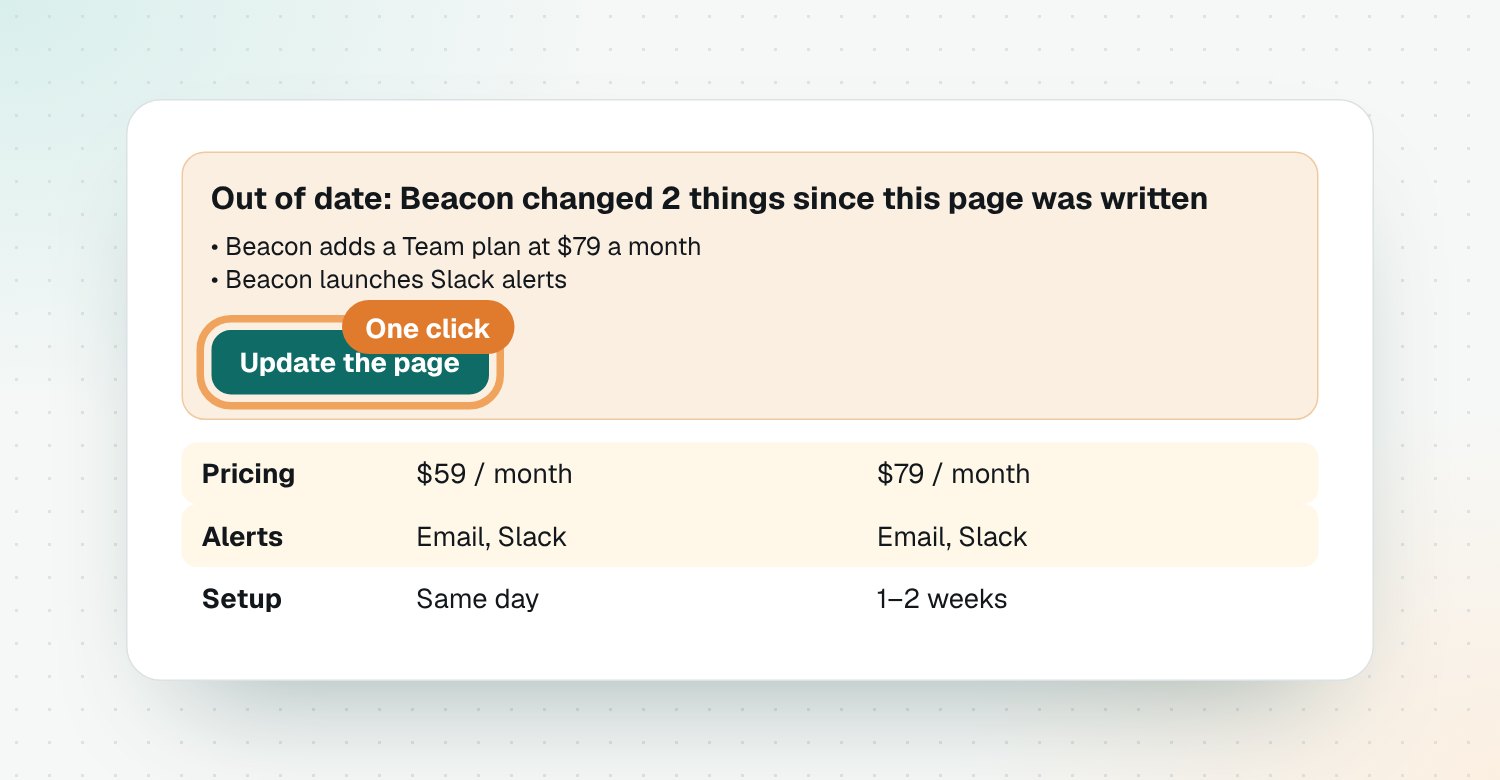
Each page in the list shows up to date, out of date or not written. When a page is out of date, open it to see what changed, then click Update the page. The rows that changed are highlighted.
Put it on your site
Click Copy as Markdown and paste it into your website or CMS. Fill in any [placeholders] first.
Questions
Where do the competitor facts come from?
From their own pricing page, release notes and the changes Riposte detected. Anything not found says 'Not published', and anything missing about your product becomes a [placeholder].
How do I know a page is out of date?
It's marked out of date in the list, and the page shows which competitor changes happened since it was written.
Can I publish the page as it is?
Check it first. Copy it as Markdown into your website, fill any placeholders and check the facts against the linked sources.
Do comparison pages help SEO?
Yes. 'X vs Y' searches come from buyers close to a decision, and a fair, current page can rank for them and be cited by AI assistants.