Find the questions buyers ask AI
In short
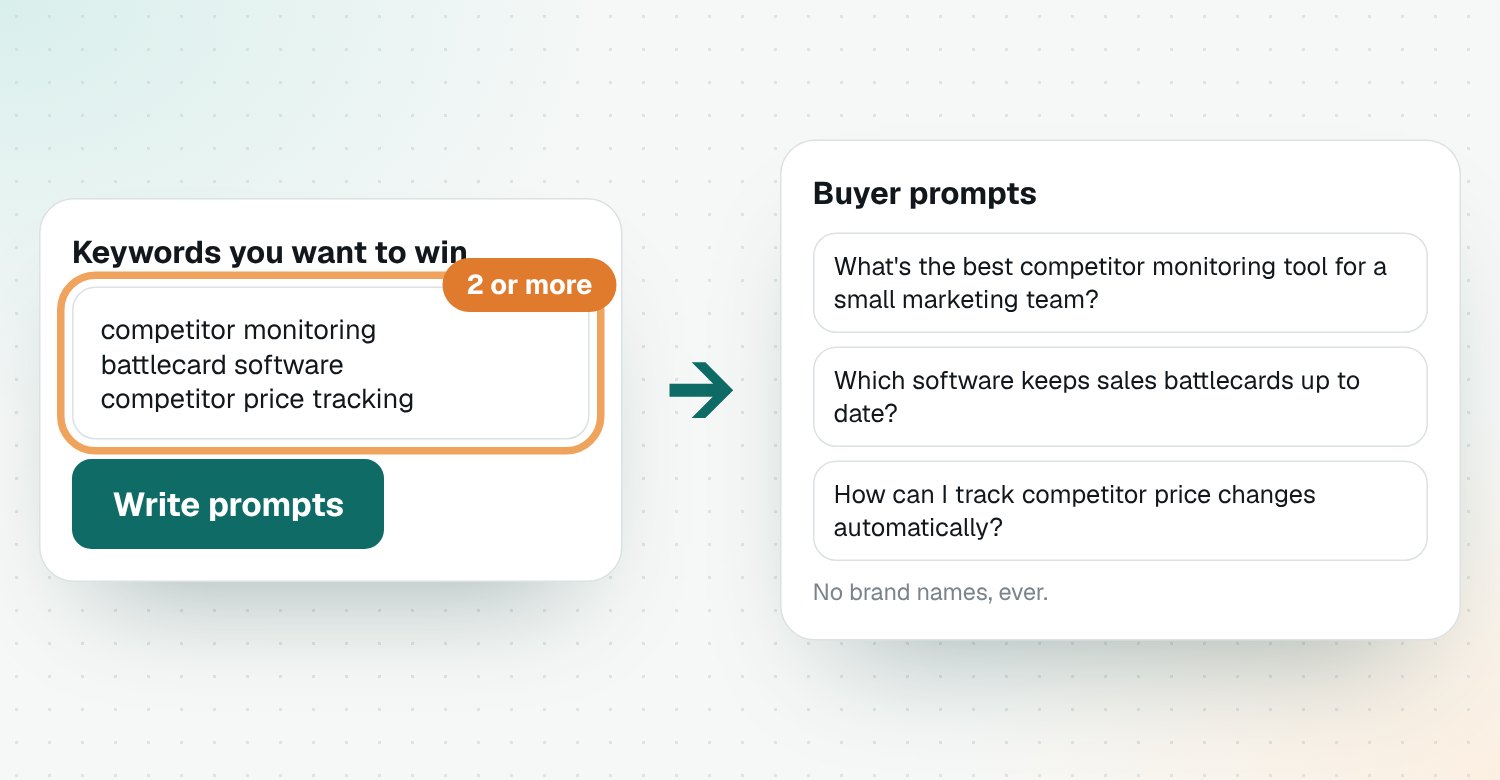
Open Prompt Studio, enter the keywords you want to win and click Write prompts. Riposte writes buying questions with no brand names, grouped into topics. Click Track on up to 10 to check who AI recommends, and download them as a CSV.
Write prompts
- Open Prompt Studio. Fill in your product first if you haven't.
- Under Keywords you want to win, add at least two keywords, one per line.
- Optional: add Areas to win, niches where you want AI to recommend you.
- Click Write prompts.
Track the ones that matter
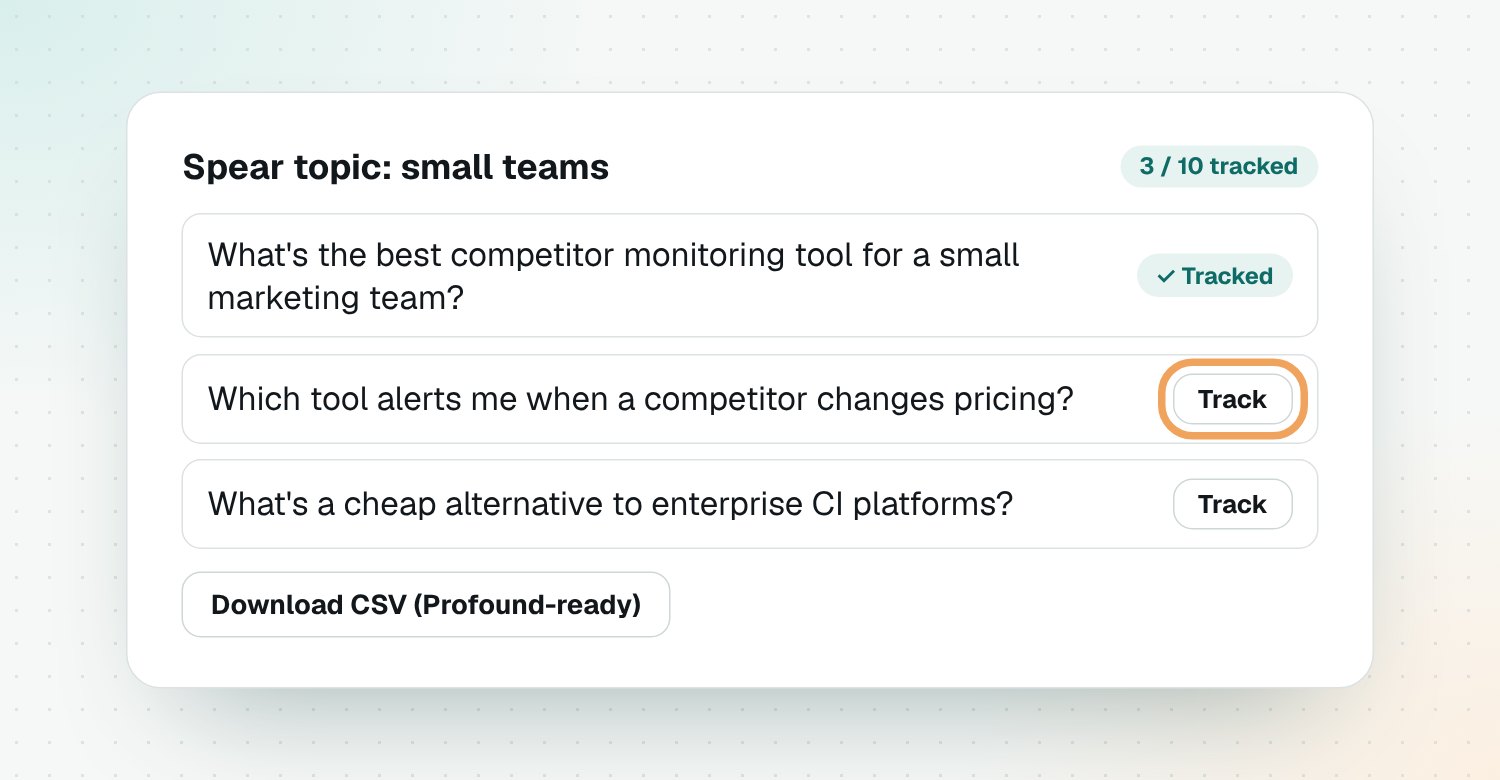
Prompts are grouped into Shield topics (broad category questions) and Spear topics (niches you want to win). Click Track on up to 10. Tracked prompts are asked in AI visibility.
Export
Click Download CSV (Profound-ready) to use the prompts in Profound or a spreadsheet.
Questions
Why don't the prompts name any brands?
Real buyers ask 'what's the best tool for…', not 'is Brand X good'. A brand name in the question changes the answer, so prompts stay neutral.
What are Shield and Spear topics?
Shield topics are broad questions about your category, your general presence. Spear topics are niches you want to win, one product and situation each.
How many prompts can I track?
Up to 10 during the beta. Tracked prompts are asked in AI visibility.
Can I use the prompts in Profound?
Yes. Click Download CSV (Profound-ready) to get a topic and prompt file that Profound can import.
Can I add my own prompt?
Yes. Use Add your own prompt. It's checked against the same rules: a buying question with no brand names.